
Credits & Billing
Understand how credits work and manage your ProseForge subscription.
Your Profile
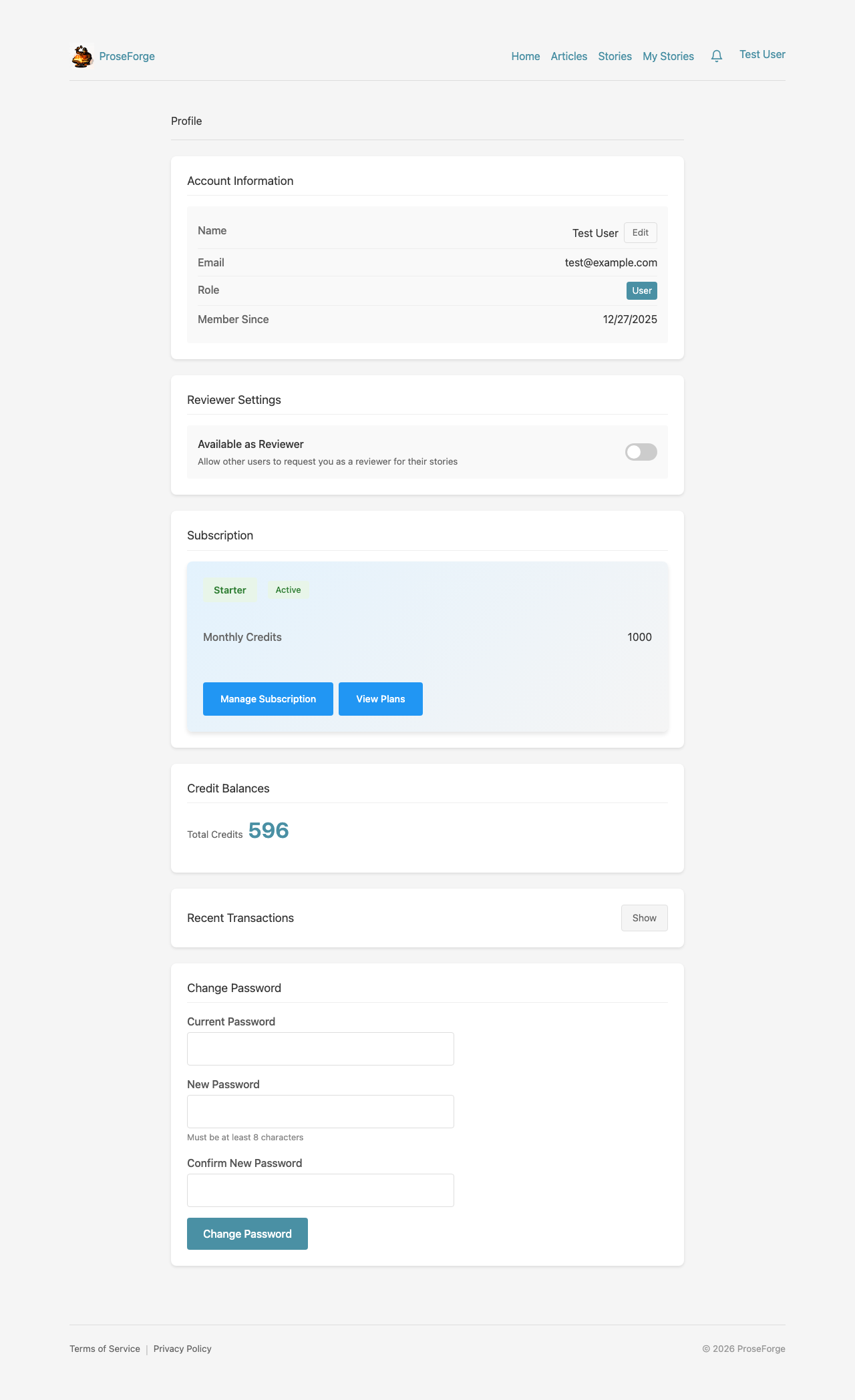
Access your profile from the user dropdown menu. Your profile shows:
- Account Information - Your name, email, and member since date
- Subscription Status - Your current tier
- Credit Balance - Your available credits
- Transaction History - Record of all credit activity
How Credits Work
Credits are ProseForge's universal currency for AI operations. All credits are in a single pool, used for any AI operation.
Credit Costs
| Operation | Description | Credits |
|---|---|---|
| Text generation | Generate story sections | 1 |
| AI Image (1024x1024) | Create cover/section images | 2 |
Credit Flow
- Reservations - Credits are reserved when a job starts
- Settlement - Credits are settled (deducted) on completion
- Refunds - Partial refunds for cancelled operations
Trial Credits
When you create an account, you automatically receive 200 trial credits. This allows you to explore ProseForge features before purchasing a subscription.
Transaction History
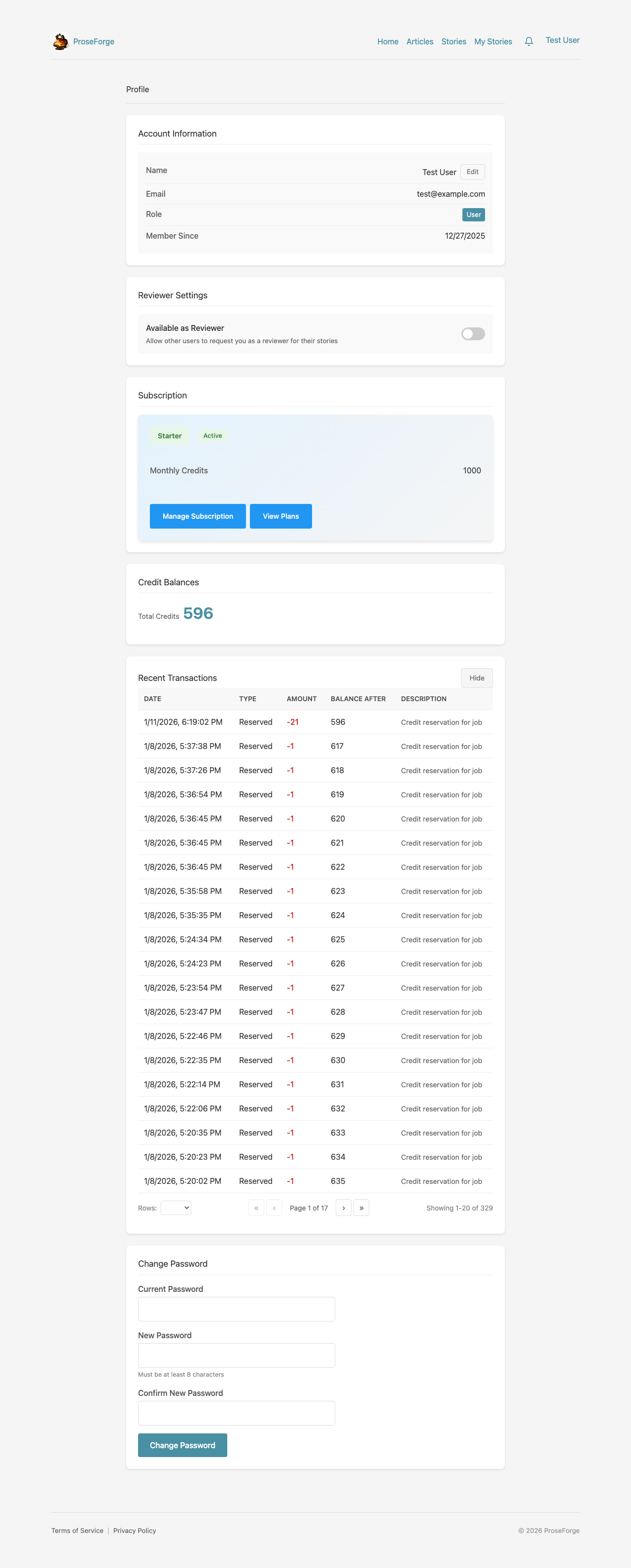
Click Show to view your transaction history:
- See all credit additions and deductions
- Track when and why credits were used
- Verify trial credit allocation
- Monitor generation costs
Billing Dashboard
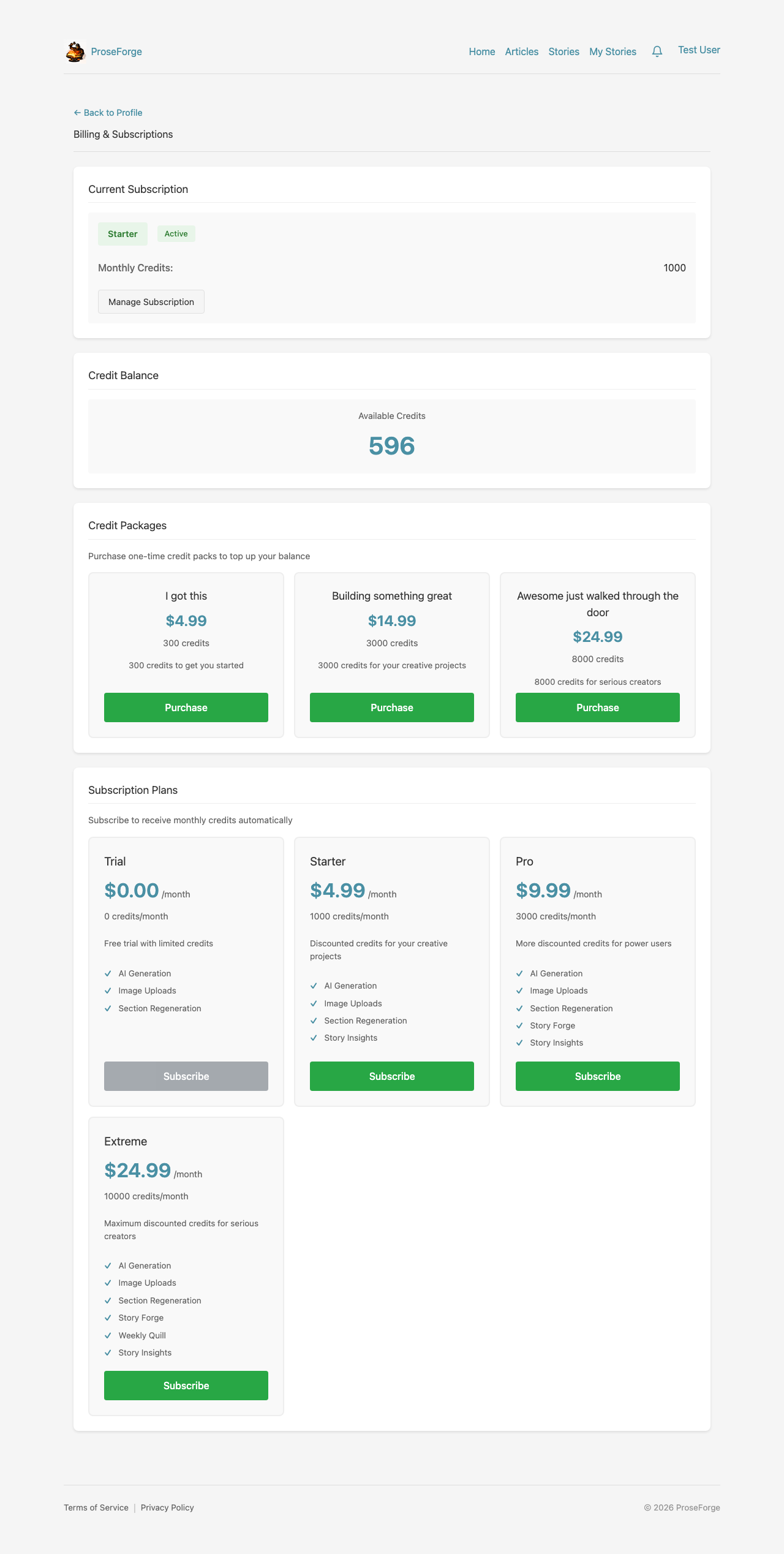
Access your billing dashboard from the user menu. The billing page shows:
- Current Subscription - Your active plan and status
- Credit Balance - Available credits
- Next Billing Date - When your subscription renews
Credit Packages
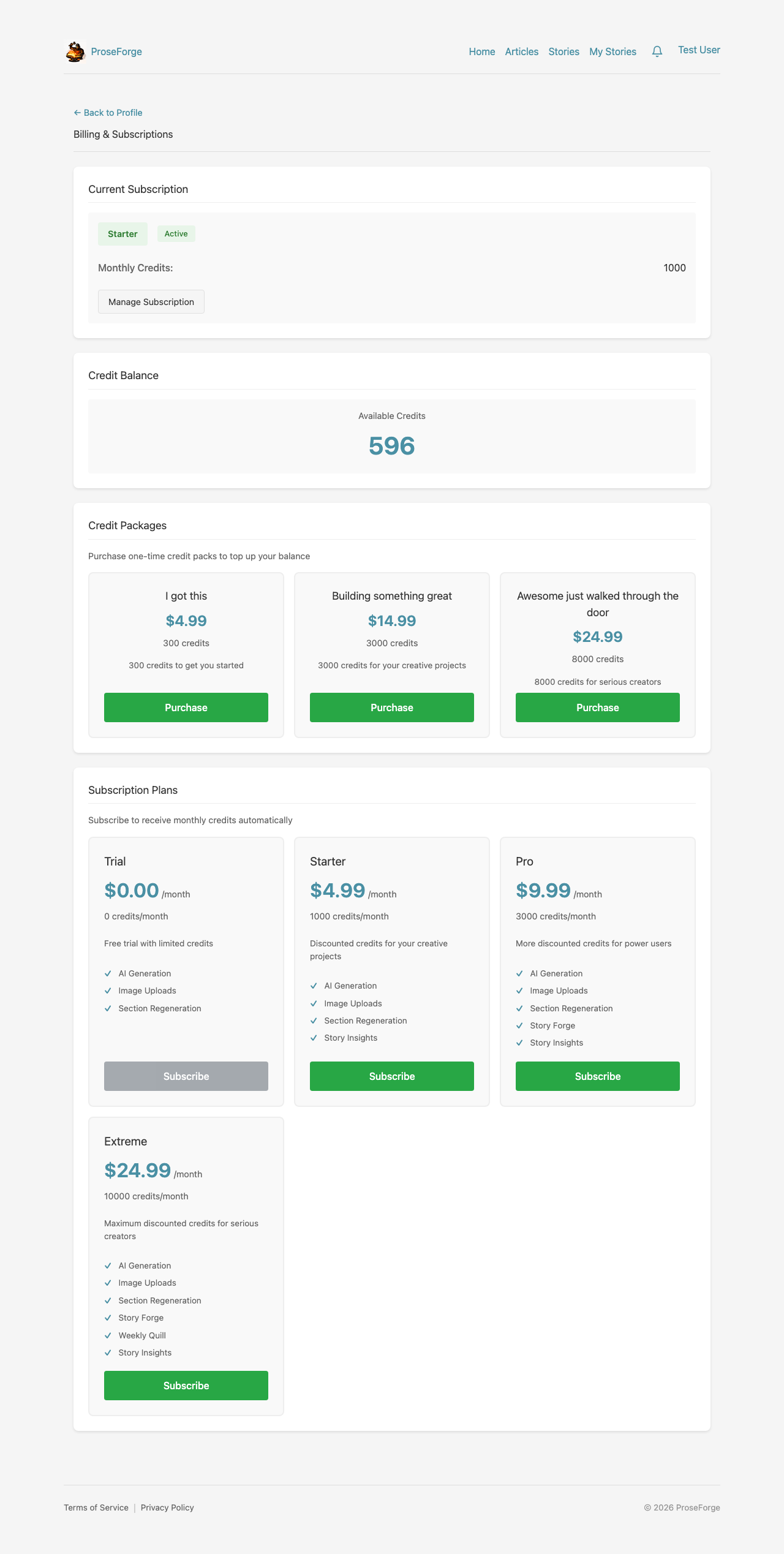
Purchase additional credits:
- View available credit packages
- See cost per credit for each package
- One-time purchases add to your balance immediately
- Credits never expire
Subscription Tiers
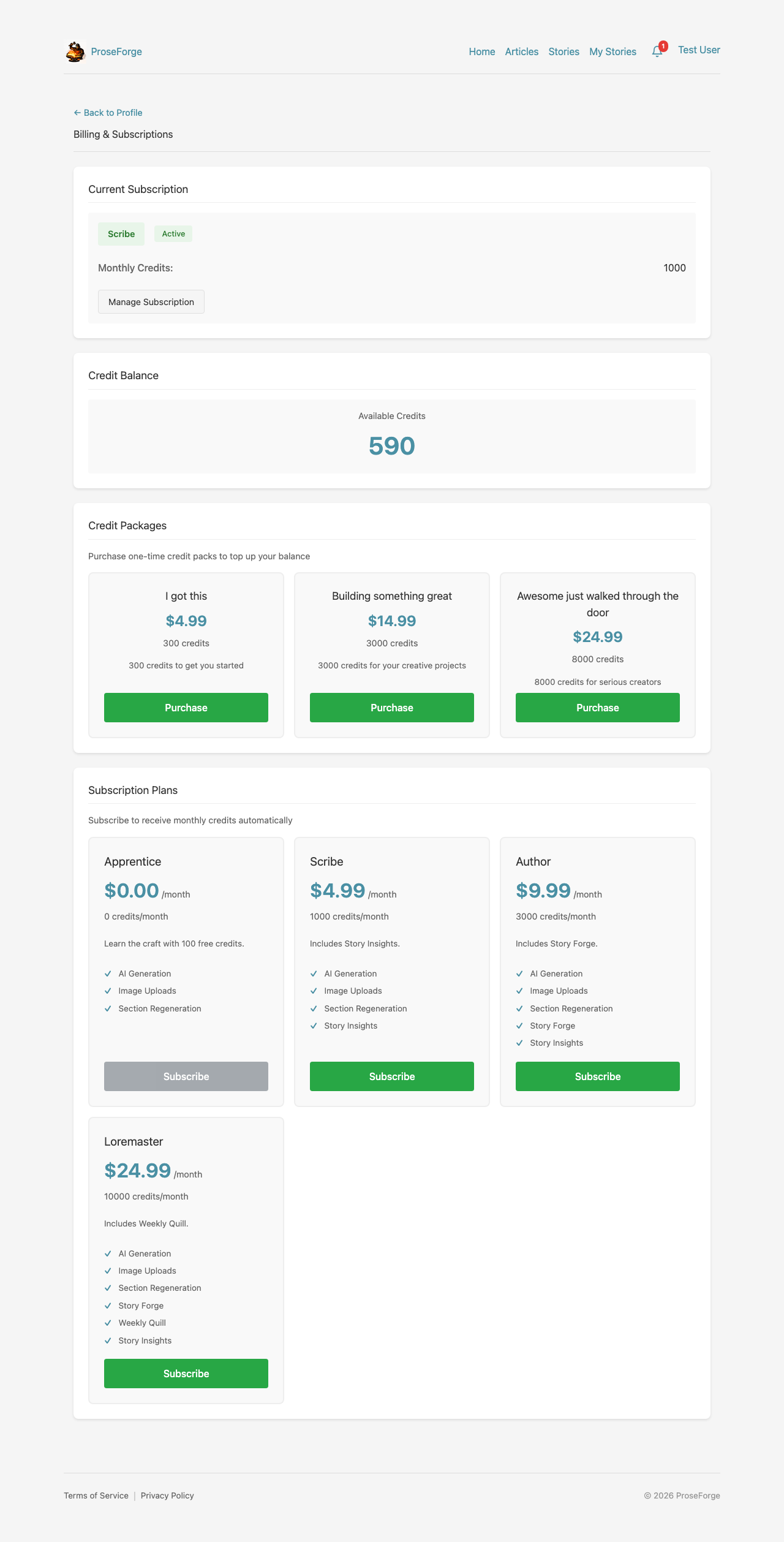
| Tier | Description |
|---|---|
| Apprentice (Trial) | Learn the craft with 200 free credits |
| Scribe (Starter) | Includes Story Insights for quality feedback |
| Author (Pro) | Includes Story Forge for automated story creation |
| Loremaster (Extreme) | Includes Weekly Quill for scheduled automation |
Feature Matrix
| Feature | Apprentice | Scribe | Author | Loremaster |
|---|---|---|---|---|
| AI Generation | ✓ | ✓ | ✓ | ✓ |
| Image Uploads | ✓ | ✓ | ✓ | ✓ |
| Section Regeneration | ✓ | ✓ | ✓ | ✓ |
| Story Insights | ✓ | ✓ | ✓ | |
| Story Forge | ✓ | ✓ | ||
| Weekly Quill | ✓ |
Click Upgrade to change your subscription level.
Changing Your Password
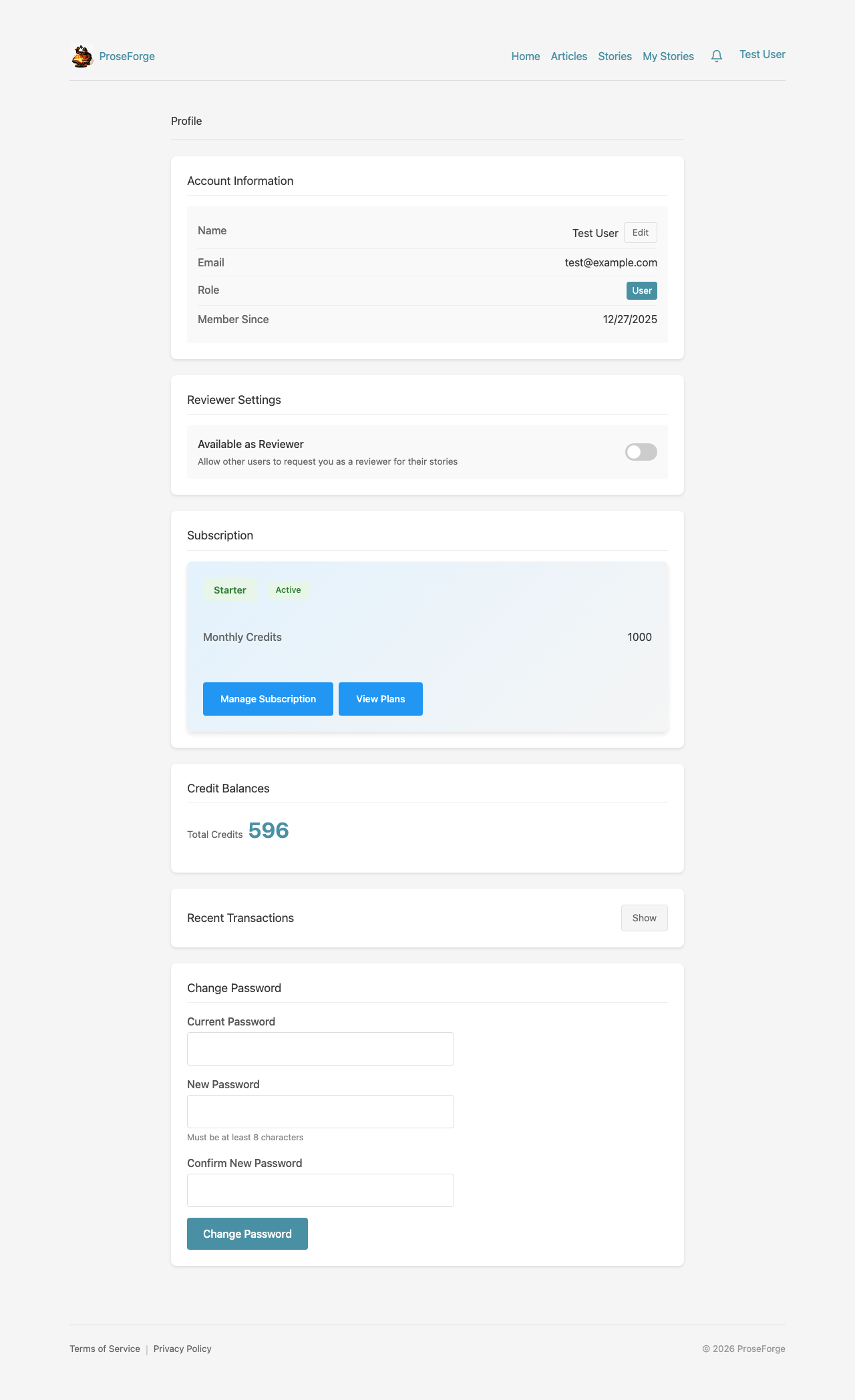
To change your password:
- Navigate to your Profile
- Scroll to the Change Password section
- Enter your current password
- Enter your new password (minimum 8 characters)
- Confirm your new password
- Click Change Password
Next Steps
- Story Forge - Learn about automated story generation
- Reviews - Collaborate with beta readers